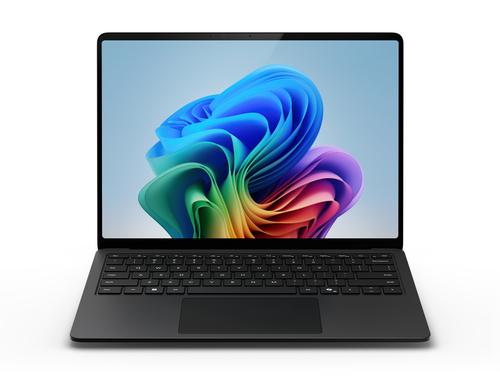
APPLE MacBook Neo 256GB, 8GB RAM, Citrus, MHFD4D/A

Product images are illustrative. The original product may vary, so please refer to the product specifications in the product description.
Price
€ 779.90The e-shop price may differ with shops price. Price valid while supplier stock lasts.
Points  +779
Delivery time and options
-
 2-4 days
-
 2-4 days
-
 2-4 days
-
 2-4 days
-
 2-4 days
-
 2-4 days
Instalments
 from € 22.06 /per month


Product details
| Product code | MHFD4D/A |
| EAN | 0195950851663 |
Product description
MacBook Neo Love at first Mac. The new MacBook Neo is a powerful Mac at a smart price. With a robust design, great colors, and powerful features – it’s a new way to fall in love with the Mac every single day. Welcome to the family. Just do what you want. With the A18 Pro chip, almost anything is possible: you can use your favorite apps, quickly complete daily tasks, be creative, and play action games. Whatever you have in mind – the MacBook Neo is ready for your ideas. Productive every day. Writing emails, taking video calls, surfing the web, updating course schedules, sharing photos – with the MacBook Neo, you always have your to-do list under control. Master every subject. Whether you are preparing for an exam, summarizing your class notes with Apple Intelligence, or creating a presentation – the MacBook Neo is perfect for learning. Work, without working. From spreadsheets to payroll – the new MacBook Neo handles jobs with ease. Display with extra play. Impressive graphics and a brilliant Liquid Retina display: experience movies, series, videos, and games with incredible vividness and detail. Fast in everything you do. With the A18 Pro chip, your favorite apps and AI tasks run smoothly. This means you always have performance and efficiency at your fingertips. Always ready. The MacBook Neo is ready for everything you have planned – from your first class in the morning to surfing in the evening. See. Hear. Marvel. Experience photos and videos with impressively high contrast and clear details. Razor-sharp text that is easy to read. And with two side-firing speakers, sound you can virtually immerse yourself in. 13" Liquid Retina display with support for 1 billion colors. Brilliant video quality with the 1080p FaceTime HD camera. So you always look great. An array of two microphones with beamforming technology isolates and amplifies your voice while reducing background noise. This ensures you always sound focused and clear. Two side-firing speakers deliver immersive sound. And 3D Audio with support for Dolby Atmos provides a surround sound listening experience for music, series, and movies. Artificial Intelligence From to-do to ta-da. The AI apps and tools you use most often, such as ChatGPT and Canva, simply run great on the MacBook Neo. This gives you a smooth, versatile AI experience with entirely new possibilities for work and hobbies. Designed for Apple Intelligence. Apple Intelligence is your personal AI system. It helps you write something, express yourself, and get tasks done.3 And it is directly integrated into the MacBook Neo. Extreme capabilities. Extreme privacy. Apple Intelligence was developed to protect your privacy at every step. This AI is integrated into the Mac and processes your requests directly on your device. This means it knows your personal data but does not collect it. And with groundbreaking Private Cloud Compute, Apple Intelligence can access larger server-based models running on Apple chips. This allows more complex requests to be processed for you while your privacy remains protected. macOS And everything just works. macOS is the powerful, user-friendly operating system that makes the Mac, the Mac. And if you already have an iPhone, everything will feel very familiar. With intuitive navigation. Free, automatic updates. Apps that just work. And a Liquid Glass design that brings clarity to everything you do. It's just simple. macOS is easy to understand and completely intuitive. Quickly access your apps and files, arrange windows clearly in tiles, and navigate efficiently with the Multi-Touch trackpad. Use integrated Apple apps. Surf the web with Safari. Create impressive presentations in Keynote. Or call friends via FaceTime. The MacBook Neo comes with plenty of apps right out of the box that you can use to work immediately or just have fun. Use your important apps. From Microsoft 365 Copilot to Zoom – the apps you know and love run great on the MacBook Neo. Simply download your favorites from the App Store and discover thousands more. Make it yours. Personalize your MacBook Neo with Light or Dark mode. And add colored icons or resize the Dock and toolbars until they are just right for you. Be fast. With Spotlight. Find content on your MacBook Neo in an instant and get suggestions from apps, files, the internet, and your clipboard. Mac + iPhone Even better together. The Mac and the iPhone are incredible on their own. But when you use them together, you discover a world full of incredible features. Start an email on your iPhone and finish it on your Mac. Copy content on one device and paste it on the other. And even use your iPhone as a hotspot for your Mac. It’s almost like magic. Calls and text messages Make calls and write messages from your Mac. You can start or accept calls directly on your MacBook Neo, just like with your iPhone. And your messages from your iPhone are also on your Mac. This allows you to continue your chats on all devices. Handoff Start here. Finish there. When your devices are near each other, your ongoing projects can be seamlessly exchanged between devices via Handoff. You can start an email or note on the MacBook Neo and finish it on your iPhone. AirDrop Share content easily. With AirDrop, you can share large files between your MacBook Neo and your iPhone. Or with others nearby who have a Mac, an iPhone, or an iPad. It has never been easier to send and receive photos, documents, and more – even without Wi-Fi. Instant Hotspot No Wi-Fi? No problem. With Instant Hotspot, you can share the cellular connection on your iPhone with your nearby MacBook Neo. And go online even when you don't have Wi-Fi. Universal Clipboard Copy & Paste between different devices. Use the Universal Clipboard to copy images, videos, or text in an app on your iPhone and then paste them into another app on your nearby Mac – or vice versa. New to Mac Every beginning is easy. You will find your way around immediately, even if you have never used a Mac before. The MacBook Neo feels familiar and simple – from the very first start. Fast and easy to set up. Import files, apps, and more from iCloud using your iPhone and the Setup Assistant. Switching from a PC? Migration Assistant makes setup fast and a